Mobile Apps
How to put an app on the App Store and Google Play
Here's how to put an app on the App Store: join the Apple Developer Program for 99 US dollars a year, create the app in App Store Connect, upload a build made with Xcode, add screenshots and your app's details, then submit it for review. Apple says 90% of submissions are reviewed in under 24 hours. Google Play follows similar steps, with a one-off US$25 account.
This guide walks through both stores for a founder launching a first app, including the costs, the review rules that most often cause rejections, and a Google Play testing requirement that can add weeks if you don't plan for it.
What you need before you start
Before you put an app on the App Store, get your accounts, links and assets ready, because missing ones are a common cause of delay. Decide whether to enrol as a company or an individual, and have your privacy policy, support page, screenshots and a demo login for reviewers ready to go.
- A developer account in the right name. Enrolment as a company shows your company name on the store and needs a free D-U-N-S Number. Apple says to allow up to five business days to receive one, plus two days for Apple to get your details.
- A build made with current tools. Since 28 April 2026, apps uploaded to App Store Connect must be built with Xcode 26 or later.
- A privacy policy and a support page that work, with up-to-date contact details.
- An app name of up to 30 characters, a subtitle and screenshots.
- A demo account if the app needs a login, so reviewers can get in.
How to put an app on the App Store, step by step
Putting an app on the App Store takes six steps, and the first time through usually takes a few days of work spread over a week or two. Most of the time goes on the product page and waiting for accounts, not the upload itself.

- Enrol in the Apple Developer Program. It costs 99 US dollars per membership year, shown in local currency when you enrol.
- Create the app in App Store Connect. Add the name, primary language and the unique bundle ID your developer set up.
- Upload a build. Your developer archives the app in Xcode and uploads it.
- Test it with TestFlight. Share the build with up to 100 internal and up to 10,000 external testers before going public.
- Complete the product page. Name, subtitle, description, keywords, screenshots, age rating, price and availability.
- Submit for review. Add notes and a demo login for the reviewer, then submit.
Screenshots and the product page
Your product page is what people see before they download, so it deserves as much care as the app's first screen. Apple allows an app name and a subtitle of up to 30 characters each, 100 characters of keywords, up to 10 screenshots and up to three app previews of up to 30 seconds.
For screenshots, Apple asks for images at its largest iPhone sizes and scales them down for smaller phones. According to its screenshot specifications, if you don't provide 6.9-inch screenshots, 6.5-inch ones at 1284 by 2778 pixels are required. Our guide on how to increase app downloads covers what to put in them.
What happens in App Review
A person at Apple checks your app against the App Review Guidelines, usually within a day. According to Apple, over 40% of unresolved issues relate to guideline 2.1, app completeness: crashes and bugs, broken links, placeholder content and missing information such as a demo login.
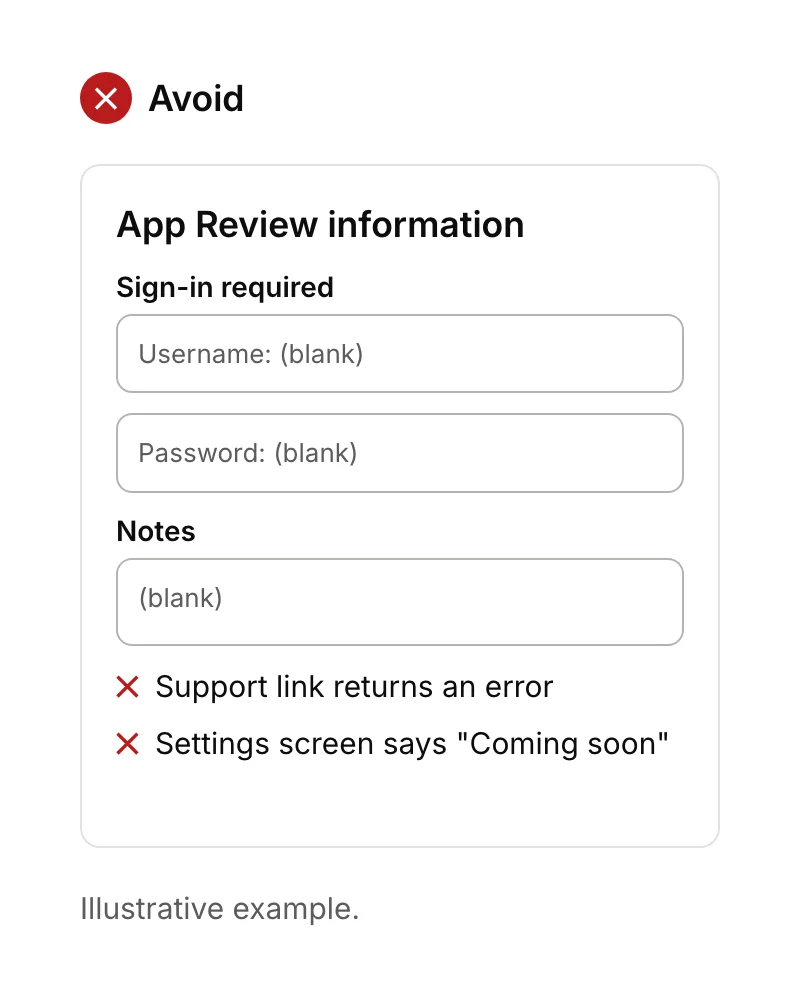
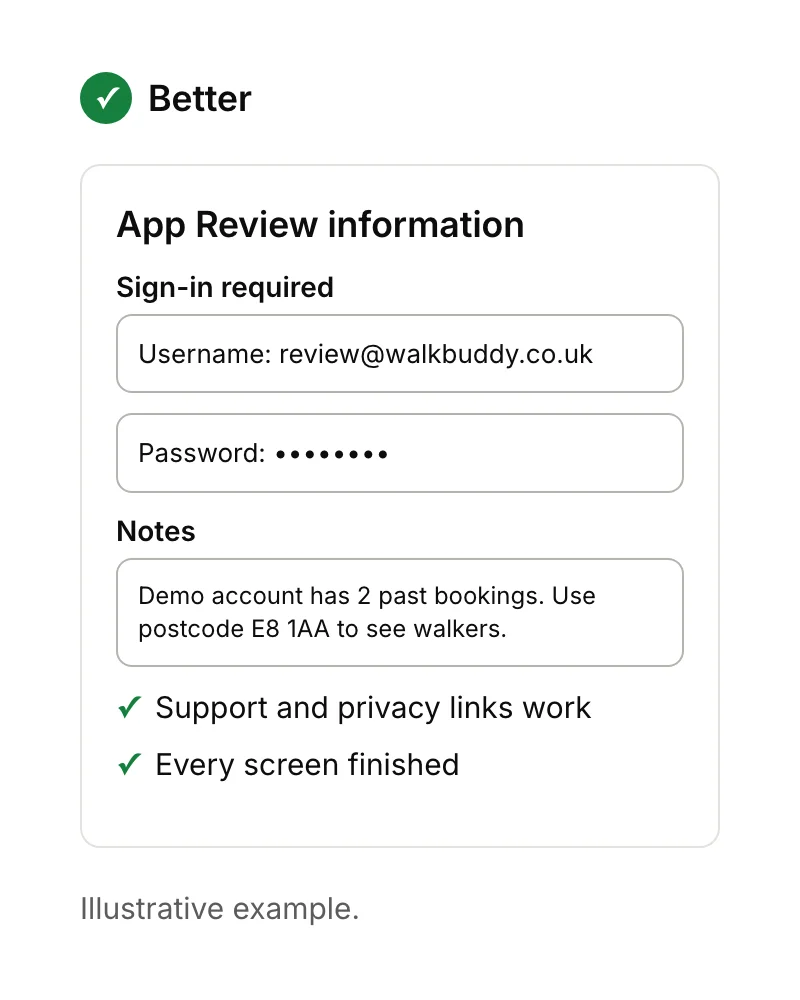
Every iOS app needs a privacy policy URL, and in App Store Connect you must declare what data you and your third-party partners collect and how it's used. Apple's review page says the policy itself must explain what data you collect, how you collect it, what you use it for, how third parties with access protect it, and how long you keep or delete it. If your app is rejected, App Store Connect tells you which guideline applies. Fix it, then reply to Apple in App Store Connect or submit again.
How to publish an app on Google Play
Publishing on Google Play follows the same pattern: create a developer account, set up the app in Play Console, upload a build, complete the store listing, and submit. The account costs a one-off US$25, and Google asks you to complete identity verification when you set it up.
| Apple App Store | Google Play | |
|---|---|---|
| Account cost | 99 US dollars a year | US$25 once |
| App name | Up to 30 characters | Up to 30 characters |
| Short text | Subtitle, up to 30 characters | Short description, up to 80 characters |
| Build requirement | Built with Xcode 26 or later | Target Android 16 (API level 36) from 31 August 2026 |
| Testing before release | Optional (TestFlight) | Required for new personal accounts: 12 testers for 14 days |
| Review time | 90% within 24 hours, on average | Production access applications usually seven days or less |
Plan for the testing rule. Developers with personal accounts created after 13 November 2023 must run a closed test with at least 12 testers, opted in for 14 days in a row, before applying for production access. Google says it usually reviews the application within seven days. Line up testers early, or it can add around three weeks to your launch.
How much does it cost to put an app on the App Store?
Putting an app on the App Store costs 99 US dollars a year for the Apple Developer Program, and Google Play costs US$25 once. There's no fee per app. If you sell digital content or subscriptions in the app, Apple takes a commission: 15% for developers earning up to $1 million a year on its Small Business Program.
The bigger cost is building an app that passes review and people want to use. Our guide to how much it costs to make an app covers that, along with the running costs after launch.
After your app is live
Once your app is live, keep it up to date: Apple and Google raise their requirements every year, and apps that fall behind can stop being available to people on newer phones. Reply to reviews, watch crash reports, and plan small updates based on what users do. See how to create an app for the full process, or our app maintenance service if you'd like help keeping an app current.
Sources
- Apple Developer, Enrolment, D-U-N-S Number and Upcoming requirements. Checked 15 September 2026.
- Apple Developer, Creating your product page and Screenshot specifications. Checked 15 September 2026.
- Apple Developer, Manage app privacy. Checked 15 September 2026.
- Apple Developer, App Review, TestFlight and App Store Small Business Program. Checked 15 September 2026.
- Google Play Console Help, Create and set up your developer account, Store listing, Target API level requirements and App testing requirements for new personal developer accounts. Checked 15 September 2026.