Startup How To
How to create an app: a step-by-step guide for founders
How to create an app comes down to eight steps: check the problem is real, decide what the first version does, test a clickable prototype, choose how to build it, build it in small milestones, test it with real users, publish it on the App Store and Google Play, then improve it using what people actually do. You don't need to write code to follow them.
This guide is for founders creating a first app, usually with a developer or agency doing the build. For each step it covers what to do, what it costs in time or money in 2026, and the mistakes that waste the most budget.

1. Check the problem is worth solving
Before you create an app, make sure people have the problem it solves and care enough to change what they do today. Talk to around 10 potential users about how they handle the problem now. If they're happy with a spreadsheet or a WhatsApp group, an app is unlikely to win them over.
Ask about what they did last time, not what they would do in future. People are polite about ideas, but they're accurate about their own past. Then look for apps that already do something similar. Finding competitors isn't bad news, because it shows people will pay for a solution. Our guide on how to check if your app idea exists walks through both checks.
2. Decide what version 1 does
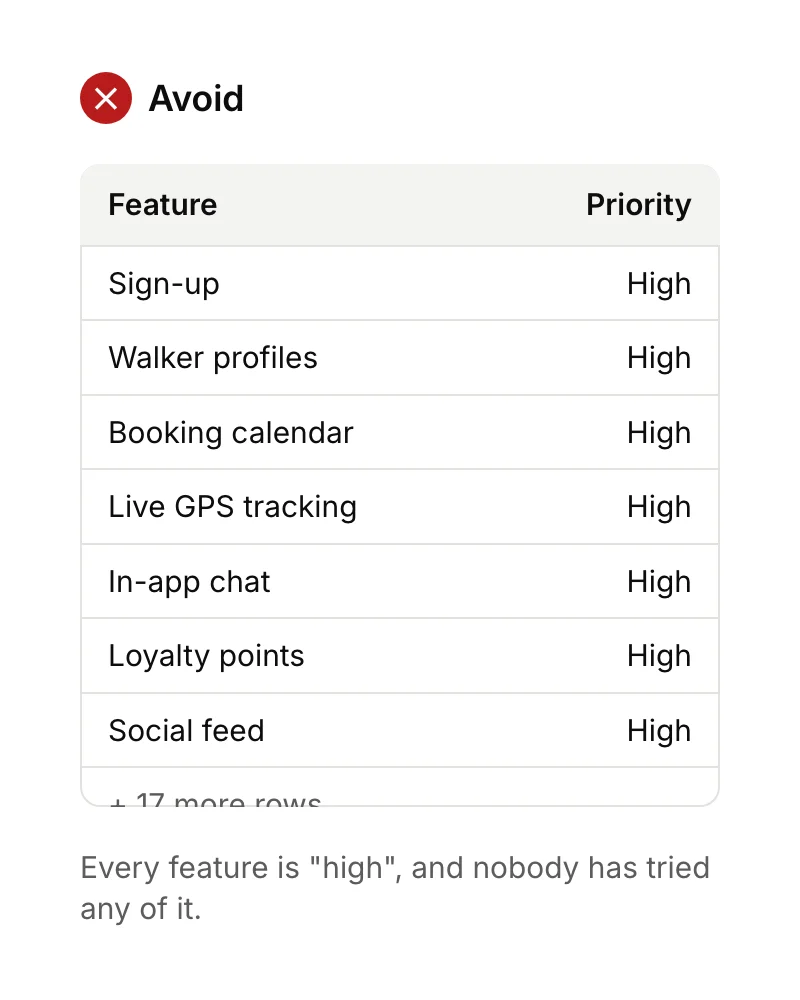
Your first version should do one job well for one type of user. Write that job as a single sentence, such as "a dog owner can book and pay for a checked walker for tomorrow". Anything the app needs for that sentence goes into version 1. Everything else goes on a list for later.
That smaller first version is called an MVP (minimum viable product). It's the single biggest saving you can make, because every feature you leave out is design, build, testing and maintenance you don't pay for. Also decide now what result would tell you it's working, for example "30 of our first 100 users book a second walk". The MVP development process explains how to set that up.
3. Design it and test a clickable prototype
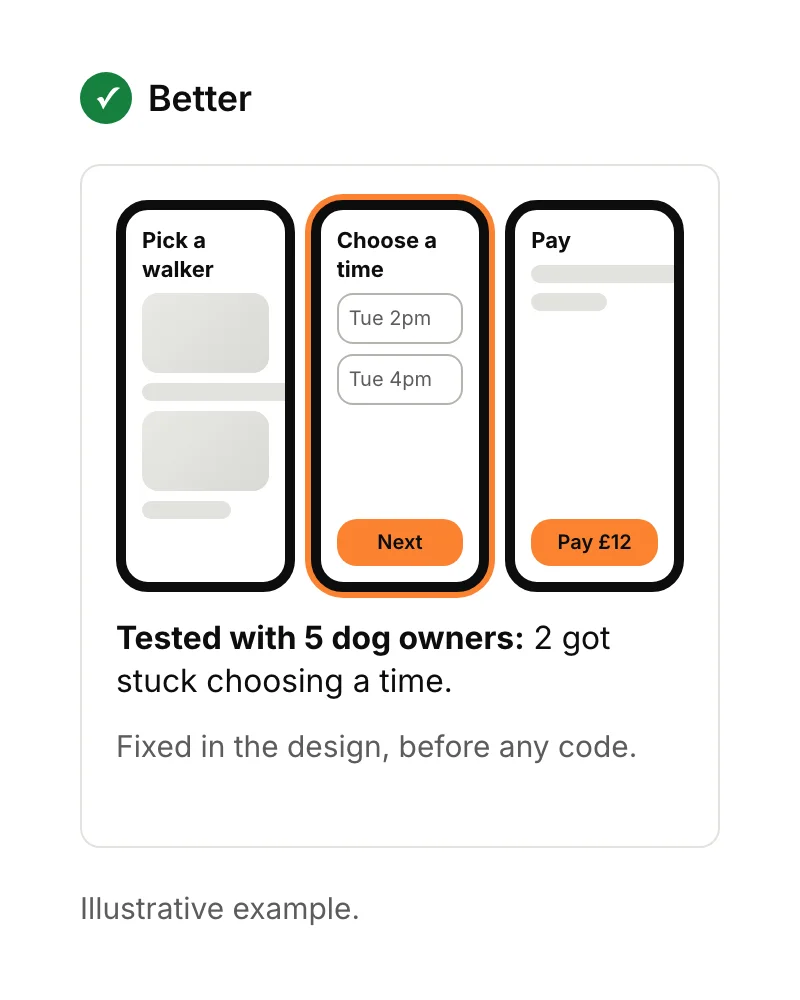
A clickable prototype is a set of designed screens linked together, so people can tap through the app before any code exists. Put it in front of a handful of target users and watch where they get stuck. Fixing a confusing screen at this stage takes hours; fixing it after it's built takes days.
You don't need many testers to find the big problems. In a well-known 2000 article, usability researcher Jakob Nielsen recommended several small tests with five users each, fixing what you find between rounds, rather than one big test. Designers usually build prototypes in Figma.
For what makes screens easy to use, see our mobile app design best practices.
4. Choose how to create the app
Once you know what version 1 does, how to create an app becomes a question of tools and people. There are three main ways to build an app: a no-code or AI app builder, a cross-platform framework such as Flutter or React Native, or two separate native apps for iPhone and Android. The right choice depends on your budget, how custom the app needs to be, and who will build it.
| Approach | Best for | Trade-off |
|---|---|---|
| No-code or AI app builder | Prototypes, internal tools, testing demand cheaply | Platform limits, and it's hard to move the app off the platform later |
| Cross-platform (Flutter, React Native) | Most first apps that need both iPhone and Android | Heavy 3D, augmented reality or unusual hardware can be harder |
| Native (Swift for iPhone, Kotlin for Android) | Apps built around platform-specific features | Two codebases to build and maintain |
We compare the two main frameworks in Flutter vs React Native, and the bigger decision in cross-platform vs native. You'll also need to decide who builds it. Our guide to finding an app developer covers freelancers, agencies and what to check. Whoever you pick, get the code and the App Store and Google Play accounts in your company's name (see how to protect an app idea).
5. Build the app in small milestones
Split the build into milestones of a few weeks, each ending with something you can install and try on your own phone. Problems then show up while they're still cheap to fix, and you can change direction without throwing away months of work.
At Ingenious App Studios, the first milestone usually arrives in under four weeks, and very small apps can be finished in four to six weeks. We use AI to prototype, write code, create tests and review code, but a person checks every change before it ships.
Set up analytics during the build, not after launch. You'll want to see from day one where people drop out, so version 2 is based on evidence. We add Mixpanel to every app by default, and its free plan covers up to 1 million events a month.
6. Test the app with real users before launch
Both app stores let you share a test version before you go public. Apple's TestFlight allows up to 10,000 external testers, and Google Play's internal testing allows up to 100. Use them to catch crashes and confusing screens with a small group before strangers leave reviews.

One Google rule catches many first-time founders out. Developers with personal Google Play accounts created after 13 November 2023 must run a closed test with at least 12 testers, opted in for 14 days in a row, before they can apply to publish. Google says reviewing that application usually takes seven days or less. So line up your 12 testers early, or it adds three weeks to your launch.
7. Publish on the App Store and Google Play
To publish, you need an Apple Developer Program membership, which costs 99 US dollars a year, and a Google Play developer account, which costs US$25 once. Apple says 90% of submissions are reviewed in under 24 hours on average. Google's review times vary.
If you enrol with Apple as a company rather than as an individual, you'll need a D-U-N-S Number. It's free, but Apple says to allow up to five business days to receive it, plus two more for Apple to get your details.
According to Apple, over 40% of unresolved review issues fall under guideline 2.1, app completeness. Before you submit, check:
- The app doesn't crash on current iPhones and Android phones.
- There's no placeholder text or "coming soon" screens.
- Your support and privacy policy links work.
- Reviewers have a demo login if the app needs one.
- Screenshots show the real app.
Our step-by-step guide on how to put an app on the App Store covers the listing, screenshots and review in detail.
8. Improve it using what people do
Launching is the start of learning, not the end of the project. Each week, look at where people drop out of your main task, read every review, and talk to a few users. Then change one thing at a time, so you can tell what made the difference.
Budget for maintenance too. Apple and Google raise their requirements every year: since 28 April 2026, Apple only accepts apps built with Xcode 26, and from 31 August 2026 new Android apps and updates must target Android 16. Getting people to find the app in the first place is its own job, covered in how to increase app downloads.
How long does it take and how much does it cost to create an app?
A very small app can take four to six weeks to build. At Ingenious App Studios, a small first version starts from about £5,000 and around £10,000 is typical. Time and cost both depend mostly on how many features version 1 has. So if you're working out how to create an app on a tight budget, step 2 matters most.
Add a few weeks for validation, prototyping and store testing around the build. For a full breakdown of day rates, running costs and how to read a quote, see how much it costs to make an app in the UK.
How to create an app yourself without coding
You can create a simple app yourself with a no-code or AI app builder, for the price of a subscription and your own time. They're a good way to test demand or build an internal tool. The limits show up with custom features, performance, and moving the app to your own code later.
If money is the main thing stopping you, read I have an app idea but no money: where do I start? And if you'd rather have an experienced team build it, see how we work on Flutter apps for founders.
Sources
- Nielsen Norman Group, Why you only need to test with 5 users. Checked 15 September 2026.
- Apple Developer, TestFlight. Checked 15 September 2026.
- Google Play Console Help, Set up an open, closed or internal test. Checked 15 September 2026.
- Google Play Console Help, App testing requirements for new personal developer accounts. Checked 15 September 2026.
- Apple Developer, Enrolment and D-U-N-S Number. Checked 15 September 2026.
- Google Play Console Help, Create and set up your developer account. Checked 15 September 2026.
- Apple Developer, App Review. Checked 15 September 2026.
- Apple Developer, Upcoming requirements. Checked 15 September 2026.
- Google Play Console Help, Target API level requirements. Checked 15 September 2026.
- Mixpanel, Pricing. Checked 15 September 2026.