Startup How To
The MVP development process: 6 steps to build faster and spend less
The MVP development process is a short loop: find the riskiest assumption in your idea, build the smallest product that tests it, put it in front of real users, measure what they do, then decide what to build next. It's the most reliable way to reduce software development costs, because you stop paying for features nobody uses.
An MVP (minimum viable product) is the smallest version of your product that real users can try. The Lean Startup describes the idea behind it like this: "The fundamental activity of a startup is to turn ideas into products, measure how customers respond, and then learn whether to pivot or persevere." This guide turns that into six practical steps for a founder working with a developer or agency.

What an MVP is, and what the MVP development process is for
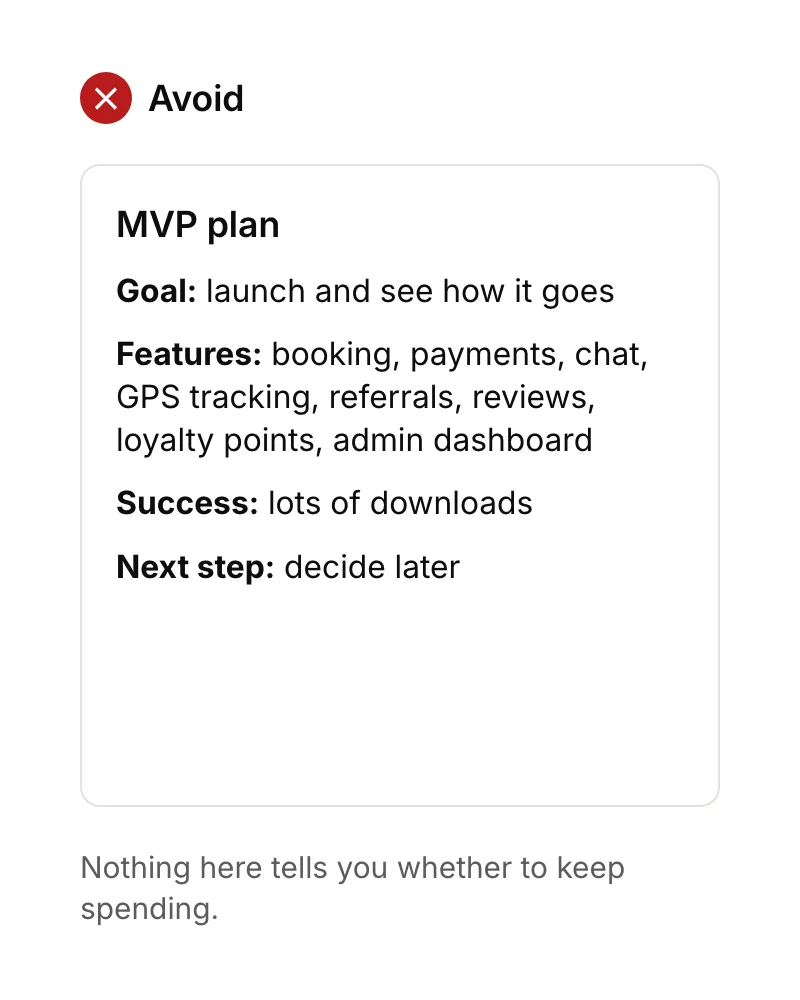
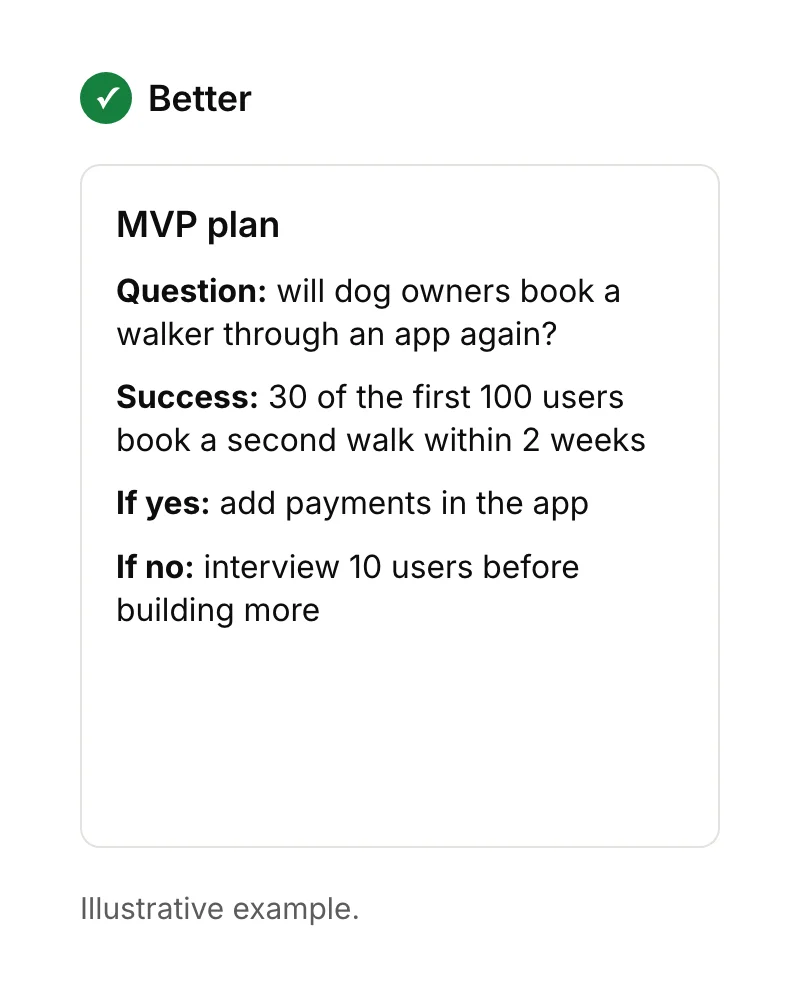
An MVP is an experiment, not a cheap version of your full product. It exists to answer one question, such as "will dog owners pay to book a walker through an app?", with as little spending as possible. If you can't say what question your MVP answers and what result would count as success, it's just a small product.
Step 1: Find your riskiest assumption
Your riskiest assumption is the belief that, if it's wrong, sinks the whole idea. For most apps it's one of these: people don't have the problem often enough, they won't change what they do now, or they won't pay. Write your assumptions down and test the riskiest one first.
Some can be tested before any app exists. Conversations with potential users and a simple sign-up page often answer "do people want this?" for almost nothing. Our guide on how to check if your app idea exists covers those tests.
Step 2: Cut the scope to one job
Cutting scope is where the MVP development process saves the most money. Describe the one job your first version does in a sentence, then keep only the features that job can't work without. A useful test for each feature: "if we remove this, does the main task fail?" If not, it goes on a list for later.
Features that usually wait: chat, social feeds, referral schemes, loyalty points, detailed settings and admin dashboards. At the start, you can often run the business side manually or with the dashboards of the services you use. The app cost guide shows a worked example of a 16-feature plan cut down to five.
Step 3: Prototype and test before you build
A clickable prototype lets people tap through designed screens before any code exists, so you find confusing steps when they cost hours, not days, to fix. You don't need many testers: Jakob Nielsen recommended several rounds of testing with five users each, rather than one large study.
Give each tester a task ("book a walk for Tuesday"), stay quiet, and note where they hesitate. Then fix the design and test again.
Step 4: Build in short milestones
Build the MVP in milestones of a few weeks, each ending with something you can install and use. That way you see progress, spot misunderstandings early and can stop or change direction without writing off months of work.
At Ingenious App Studios, the first milestone usually arrives in under four weeks, and very small apps can be completed in four to six weeks. We use AI to prototype, write code, create tests and review code, which speeds up the routine work, and a person checks every change. We also build with Flutter, so one codebase covers iPhone and Android (see cross platform vs native).
Add analytics in this step, not after launch. Track the actions your success measure depends on, such as "booking completed" and "second booking". We set up Mixpanel by default; its free plan covers up to 1 million events a month.
Step 5: Release to a small group first
Release the MVP to a small group before a public launch, so crashes and confusion affect people who expect a test version. Apple's TestFlight supports up to 10,000 external testers, and Google Play's internal testing supports up to 100.
Plan ahead for one rule. Google requires new personal developer accounts to run a closed test with at least 12 testers for 14 days in a row before applying to publish. Recruit those testers during step 4.
Step 6: Measure, then decide
After a fixed period, compare what users did with the success measure you set at the start, then make one of three decisions: keep going and build the next most-requested feature, change direction on the part that didn't work, or stop before spending more. Decide the period in advance, often two to six weeks, so you aren't tempted to wait for better numbers.
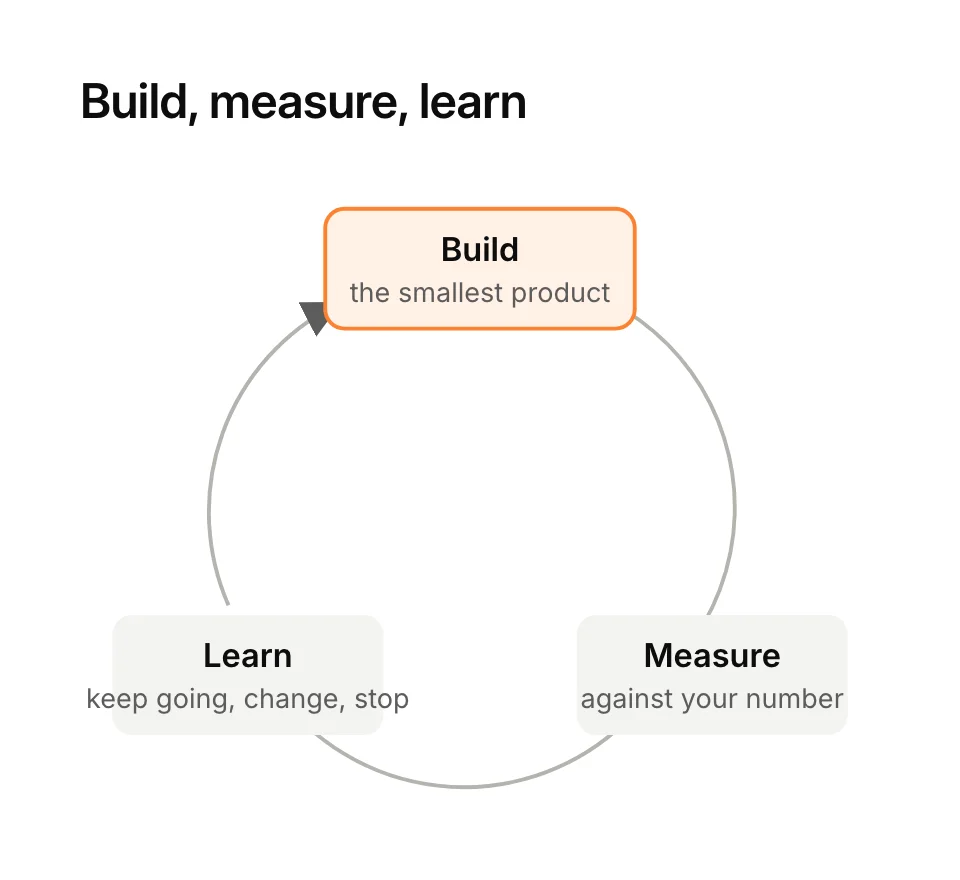
This decision is what turns the MVP development process into a loop rather than a one-off project. Numbers tell you what happened; conversations tell you why. Talk to five or six users who dropped out and five or six who came back before you choose.
How much does MVP development cost?
MVP development cost depends mostly on how many features the first version has. At Ingenious App Studios, a small first app starts from about £5,000, and around £10,000 is typical. Very small apps can be built in four to six weeks. A tighter scope in step 2 lowers both numbers.
Remember the costs around the build too: store fees, hosting and ongoing maintenance. Our guide to how much it costs to make an app in the UK lists them with current prices.
Other ways to reduce software development costs
Alongside the MVP development process, these save money on almost any software project:
- Use ready-made services for login, payments, maps, email and hosting instead of building your own.
- Build once for both platforms with a cross-platform framework.
- Agree scope per milestone, so changes are priced and decided rather than creeping in.
- Answer questions quickly. A developer waiting days for a decision is time you pay for.
- Keep a written "later" list, and only move a feature onto the plan when data or users justify it.
Common mistakes in the MVP development process
- Too many features. If version 1 takes six months, it isn't minimum.
- No success measure. You'll end up judging the result on feelings.
- Testing only with friends. They're kind, not representative.
- No analytics. You can't learn from users you can't see.
- Building version 2 before reading the version 1 results.
If you'd like help planning the smallest version worth building, see how we work on Flutter apps for founders, or start with how to create an app.
Sources
- The Lean Startup, Principles. Checked 15 September 2026.
- Nielsen Norman Group, Why you only need to test with 5 users, March 2000.
- Mixpanel, Pricing. Checked 15 September 2026.
- Apple Developer, TestFlight. Checked 15 September 2026.
- Google Play Console Help, Set up an open, closed or internal test and App testing requirements for new personal developer accounts. Checked 15 September 2026.